SLA and response time
First-response deadline policies, business hours, which policy applies to a mailbox, the "Overdue" queue and the response-time report.
Updated 19.10.2026
Table of contents
An SLA policy sets how quickly the team must send the first reply to a customer message. Faldro tracks that time on every conversation, shows how much is left, collects missed deadlines in the Overdue queue and sums everything up in a report.
Policies and the report live on the SLA and response time page: Settings → SLA and response time, or the SLA shortcut in the header of the "Handling" section in the left sidebar. Only administrators have access.
Policy
Click Add policy:
| Field | Meaning |
|---|---|
| Name | E.g. "Standard 4h". |
| First response time (minutes) | From 1 minute to 90 days (129,600 min). |
| Applies to mailboxes | The selected accounts; with none selected — "all (default policy)". |
| Count business hours only | The clock stops outside working hours and on non-working days. You then set Working days, From, To and Time zone. |
| Enabled | A disabled policy isn't applied to new messages. |
| Default for the organisation | Applied to mailboxes without their own policy. Only one can be default — ticking it on another policy removes it from the previous one. |
The Resolution time field is saved with the policy, but currently doesn't set a separate deadline or feed into the report — only the first response time is measured.
Which policy applies? For messages in a given mailbox: the enabled policy that has that mailbox selected; if there's none — the default policy; if there's no default either — the conversation has no SLA. The default policy only acts as the fallback when no mailbox is selected on it. A routing rule with the Apply SLA action can override this choice, e.g. for VIP customers.
How the deadline is calculated
- The clock starts when a customer message arrives and nothing in the conversation was already waiting for a reply. Follow-up nudges before your reply don't move the start — the customer has been waiting since their first message.
- Deadline = start + the policy's time. With business hours, only minutes inside the working window count: with 240 minutes and Mon–Fri 9:00–17:00, a message from Friday 16:00 is due on Monday at 12:00.
- The deadline is frozen when the clock starts. Editing or deleting the policy later doesn't move deadlines that were already set.
- The clock stops on your reply (from Faldro or another mail program, once it lands in the Sent folder) or when the status changes to Closed.
SLA doesn't cover historical mail: messages that are more than 7 days old when fetched (e.g. the archive pulled in when you connect a mailbox) don't start a clock. Connecting an old mailbox won't flood the "Overdue" queue. Spam, trash, drafts and bounces are skipped too.
What you see in the conversation and the list
In the conversation's right-hand column, in the Handling card: "2 h left" or "Overdue by 35 min", "Due: …", "Customer waiting for …" and "First response time: …" (or "No reply yet"). In the list, the row shows the time left or "overdue".
The Due soon state starts in the last quarter of the window (at the earliest 5 minutes before the deadline). A miss is permanent: the conversation stays in Overdue even after a late reply, until the customer writes again and a new clock starts. The activity history shows "SLA deadline missed" or "answered within SLA".
Response-time report
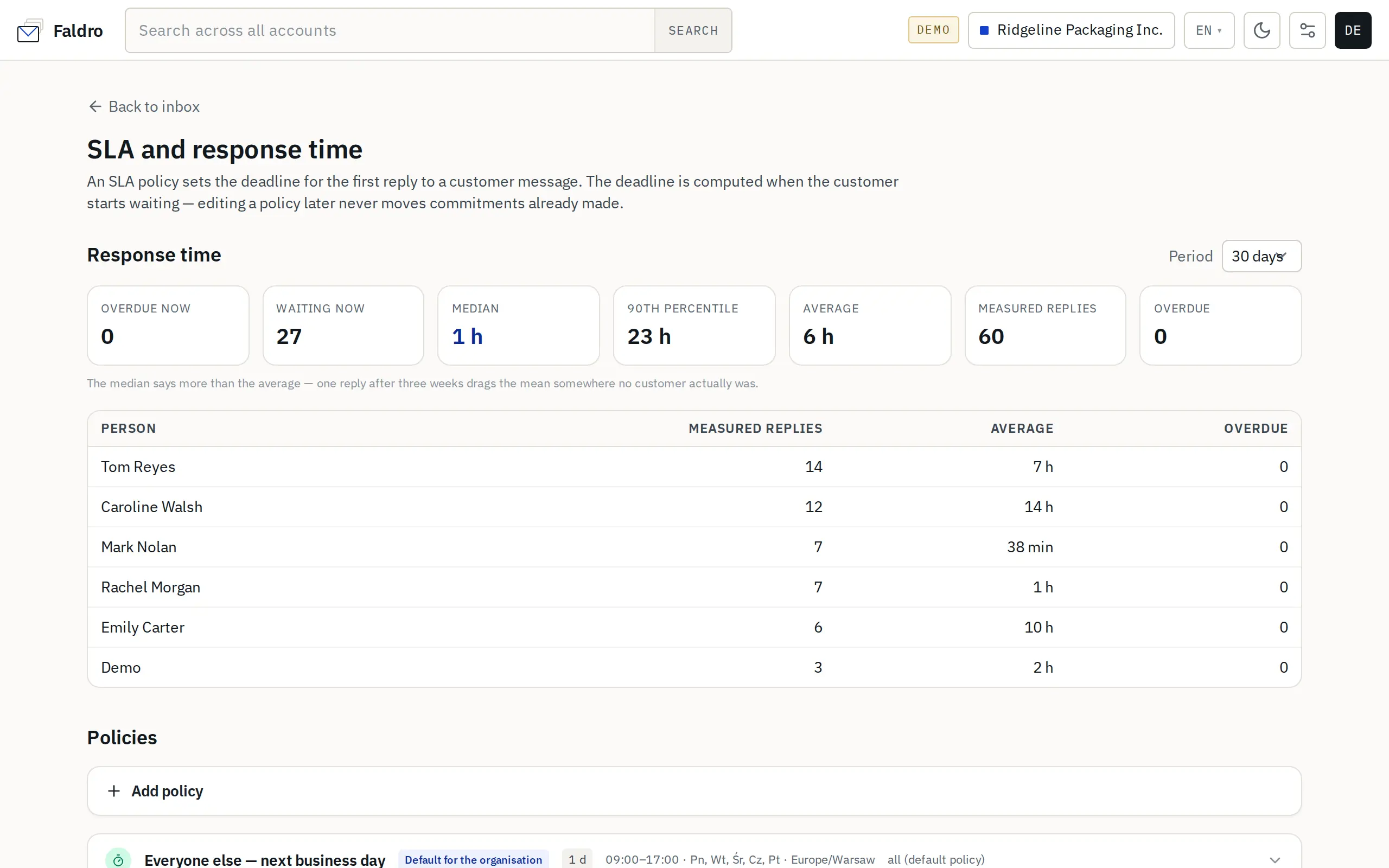
At the top of the page is the Response time section, with a period picker (7, 30, 90 or 365 days):
| Tile | What it counts |
|---|---|
| Overdue now | Conversations currently waiting for a reply past their deadline. |
| Waiting now | Conversations where the customer is waiting for a reply (with or without SLA). |
| Median / 90th percentile / Average | First response time within the chosen period. |
| Measured replies | Conversations whose first reply was sent in this period. |
| Overdue | How many of them missed the deadline. |
The Person table shows the same figures broken down by the person assigned to the conversation (not necessarily the one who replied); unassigned conversations don't appear in it. Only the first reply in each conversation counts. The median is usually more telling than the average — a single reply after three weeks can push the average way up.
Did not find the answer?
Check the help section with typical problems or write to us — we reply on working days.