Inbox view
The left sidebar with folders, accounts and multi-inboxes, the thread list, counters, live notifications and bulk actions.
Updated 02.09.2026
Table of contents
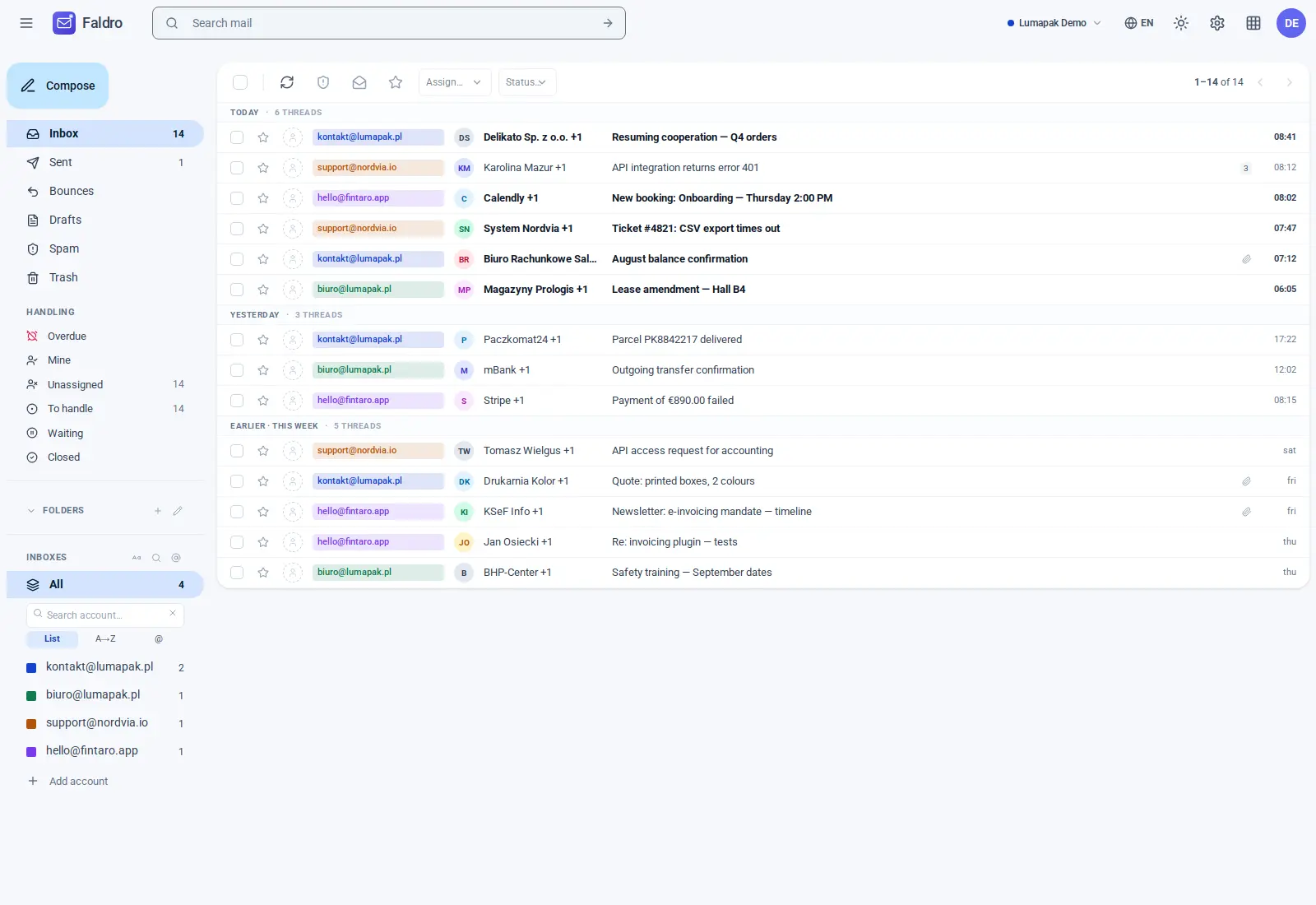
Left sidebar
Folders — Inbox, Sent, Bounces, Drafts, Spam, Trash and All. Folders are shared across all of the organisation's accounts: "Inbox" is everything received across all mailboxes at once. Unread counters refresh every few seconds.
Accounts — every connected mailbox, with a coloured dot. Clicking one narrows the list to that account; its folders from the IMAP server expand below it (including custom ones, which you can create, rename and delete). A thread dragged onto a folder is moved into it — on the server too.
Multi-inboxes — named groups of accounts, e.g. "Sales" = three sales addresses. They work as a list filter, and for members without full access they're also a boundary on what they can see at all. Configuration: Multi-inboxes.
Labels — coloured organisation-wide tags pinned to threads; clicking a label filters the list.
Thread list
Each row is a thread: sender, subject, a snippet of the latest message, the account's dot, labels, time and icons (attachment, star, assignment). Click a thread to open it; Ctrl+click opens it in a new tab.
Selecting several threads (checkboxes) reveals the bulk actions bar: read, archive, star, mute, spam, trash, labels, and — in support-oriented organisations — assignment and status too. Actions run on all selected threads at once.
An empty folder (e.g. Bounces with no messages) doesn't show an empty list — it goes back to Inbox instead. This is intentional.
Header
- The search bar searches the whole organisation, with
from:,to:,subject:operators — see Search. - New message opens the composer.
- The organisation switcher and settings (gear icon) are on the right.
New mail without refreshing
The inbox keeps an open connection to the server (Server-Sent Events). When syncing fetches a new message, the list updates itself and a subtle notification appears. With several tabs open at once, each tab has its own connection; the connection disappears within a few seconds of closing a tab.
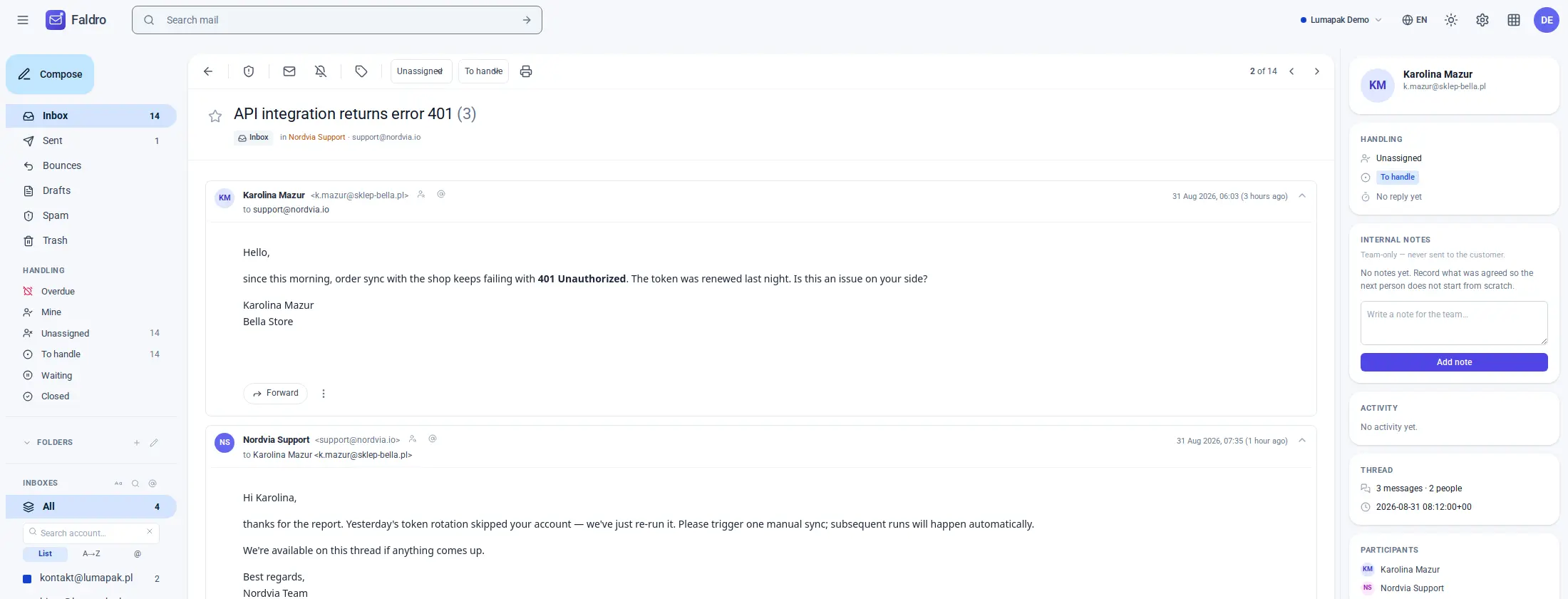
Opening a thread
A thread shows all its messages in chronological order, with HTML content in an isolated frame (no tracking pixels — images load without a referrer header). Thread actions, assignment and status are at the top; the reply form is at the bottom. Details: Thread.
Did not find the answer?
Check the help section with typical problems or write to us — we reply on working days.