Sending identities
Send-as addresses for each mailbox — adding them with a live sending test, the primary address, a separate SMTP server, Reply-To, signature, plan limits and the choice in the message window.
Updated 19.10.2026
Table of contents
A sending identity is the address the recipient sees in the "From" field. The mailbox determines how mail goes out; the identity determines which address the recipient sees. One mailbox can have several, e.g. john@company.com also sends as contact@company.com and invoices@company.com. It's a direct replacement for Gmail's "Send mail as".
You manage them under Settings → Sending identities (the card is visible to administrators, the same people who manage mail accounts). A member limited to a multi-inbox only sees identities of their own mailboxes.
The list
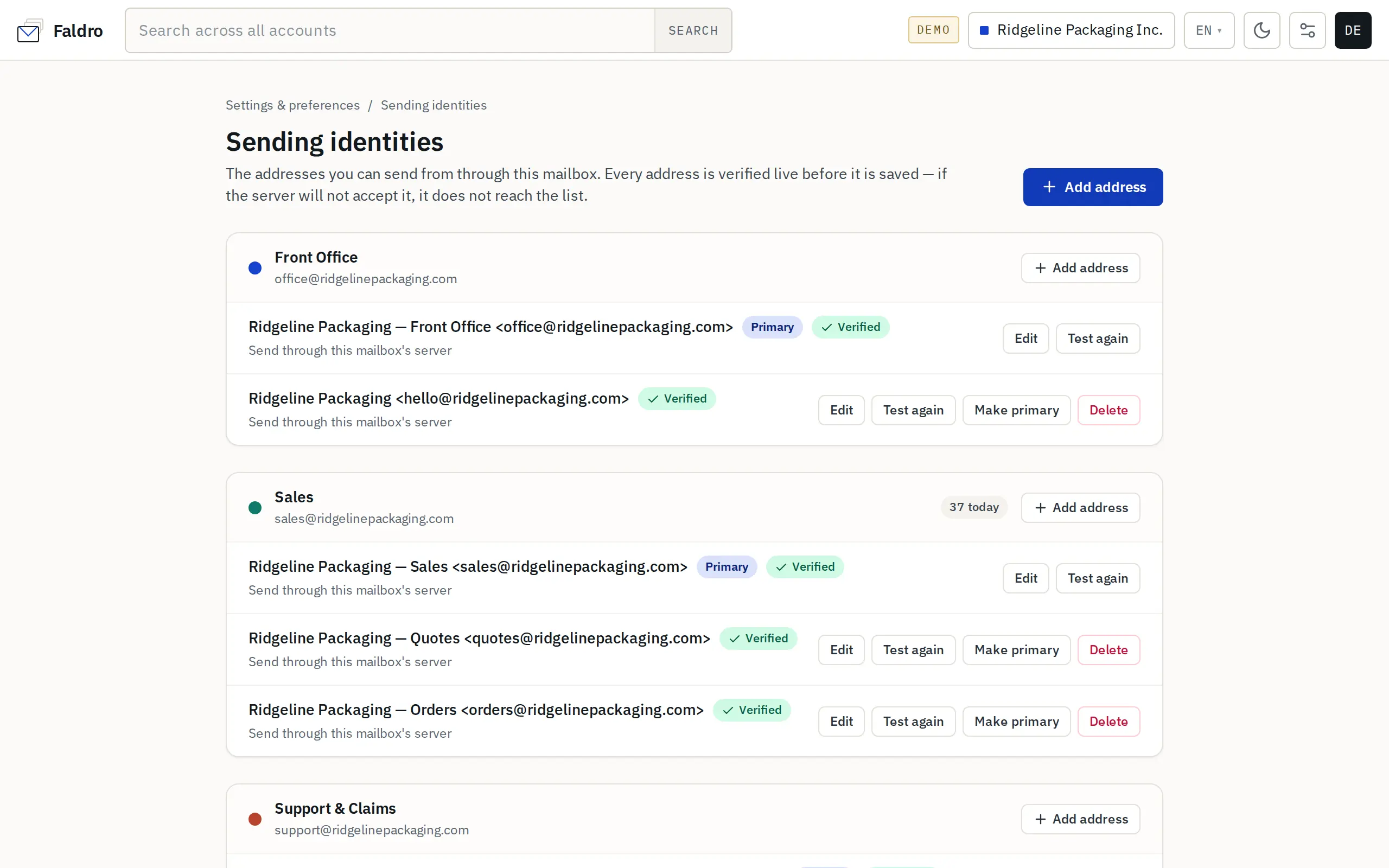
Each mailbox has a section with its addresses. Each address shows the Primary, Verified or Not verified badges, how it sends, the "Reply-To" address if any, when it was last tested and the server's last error. The section header shows the mailbox's sends today (and the daily limit, if set) and — when the plan has a limit — a "Using … of … addresses" counter.
Actions per address: Edit, Test again, Make primary, Delete.
Adding an address
Add address opens the "New sending address" form:
| Field | Meaning |
|---|---|
| Mailbox | The account the mail physically leaves through. It can't be changed after saving. |
| Email address | The address in the "From" field. |
| Display name | E.g. the company name or a person's name. Empty = the mailbox's sender name. |
| Reply-To | An optional address replies should go to. |
| Signature | This identity's signature — see below. |
| How to send | Send through this mailbox's server (an alias on the same server) or Use a separate SMTP server — then server, port, encryption, username and password. An empty username = the same as the mailbox's. |
| Make this the primary address for this mailbox | The address used when nothing else is picked in the message window. |
Verify and save first connects to the SMTP server and checks whether it will accept mail from this address — no message is sent. If the server refuses, nothing is saved and you see "The server did not accept this configuration" with an explanation.
Adding, editing, deleting and changing the primary address require you to re-enter your Faldro password (a safeguard against a hijacked session). Test again doesn't — handy when a provider suddenly stops accepting mail.
The SMTP password is encrypted and never sent back to the browser; when editing, an empty field means "keep the current one".
Primary address and deleting
Only a verified address can become primary. You can't delete the primary address (pick another one first) or a mailbox's only address. Deleting doesn't affect messages already sent.
Plan limit
The number of addresses per mailbox depends on the plan. Paid plans don't limit it. After the trial ends without a subscription, you can't add new addresses — existing ones keep working. Trying to exceed the limit ends with "Your plan allows … sending addresses per mailbox".
Choosing in the message window
- New message — the second From row appears when the selected mailbox has at least two addresses. The primary address is selected by default. Unverified addresses are visible but disabled ("not verified — cannot send").
- Reply — by default the address the message was sent to.
- Forward — the form has no picker; the sender is the address the original was sent to, or the primary address if no verified one matches.
When the selected address's domain has an SPF/DKIM/DMARC problem, the message window shows a warning — see Domains.
Identity signature
An identity's signature takes priority over the mailbox signature, but only when the body doesn't already contain a signature inserted by the editor. The message window inserts mailbox signatures, so the identity signature applies when the mailbox has no default signature for that kind of message. Details: Signatures.
Did not find the answer?
Check the help section with typical problems or write to us — we reply on working days.